The dedicated device
A dedicated phone for translation
A handset with physical buttons that opens straight into the translator when switched on. The prototype is used to test all four modes, including translated regular SIM calls.
Only an engineering prototype exists today; the device is not for sale, and its price, configuration and release date have not been set. No payments or pre-orders are accepted.
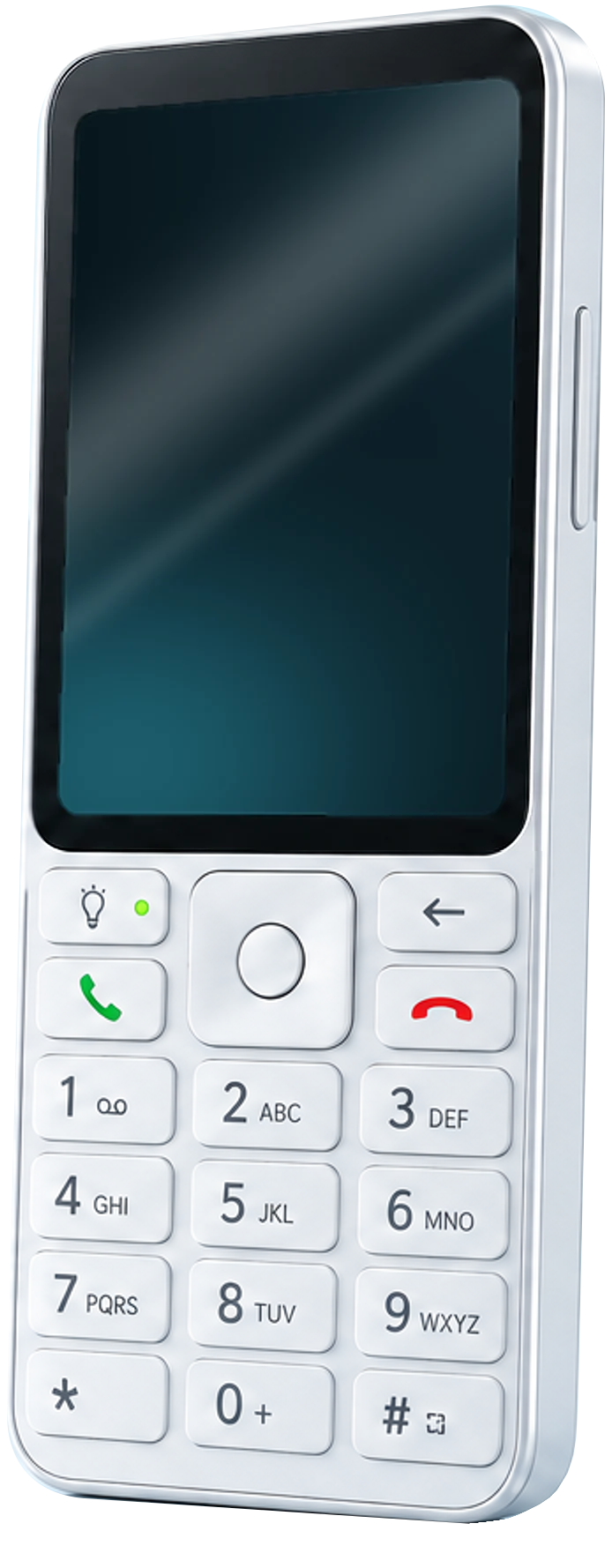
- 1Connect / status light
- 2Answer
- 3Back
- 4End call
Features
Everything you need, on real buttons
Translated SIM calls
In testing: call a regular number — the other person answers on their own phone and hears the translation.
Buttons at your fingertips
Around the center button: connect, answer, back and end call, like a classic keypad phone.
Set up with a QR code
The smartphone app scans the QR code on the device screen: the same account and balance, with no email to type on a keypad. In testing.
Keep your smartphone free
Translate on a separate handset while your phone shows maps, tickets or documents.
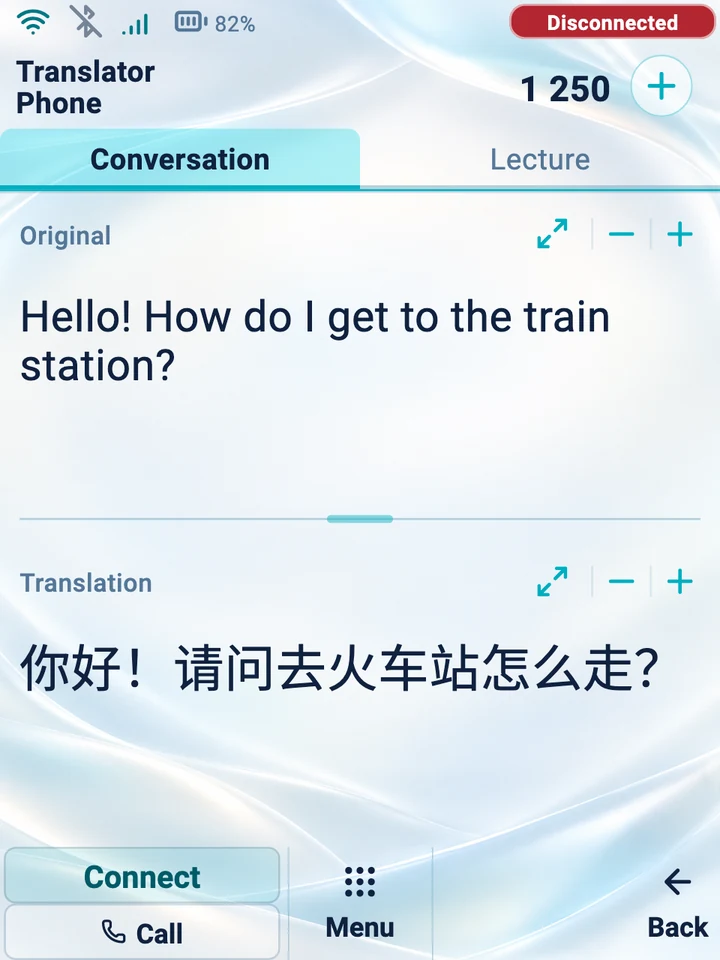
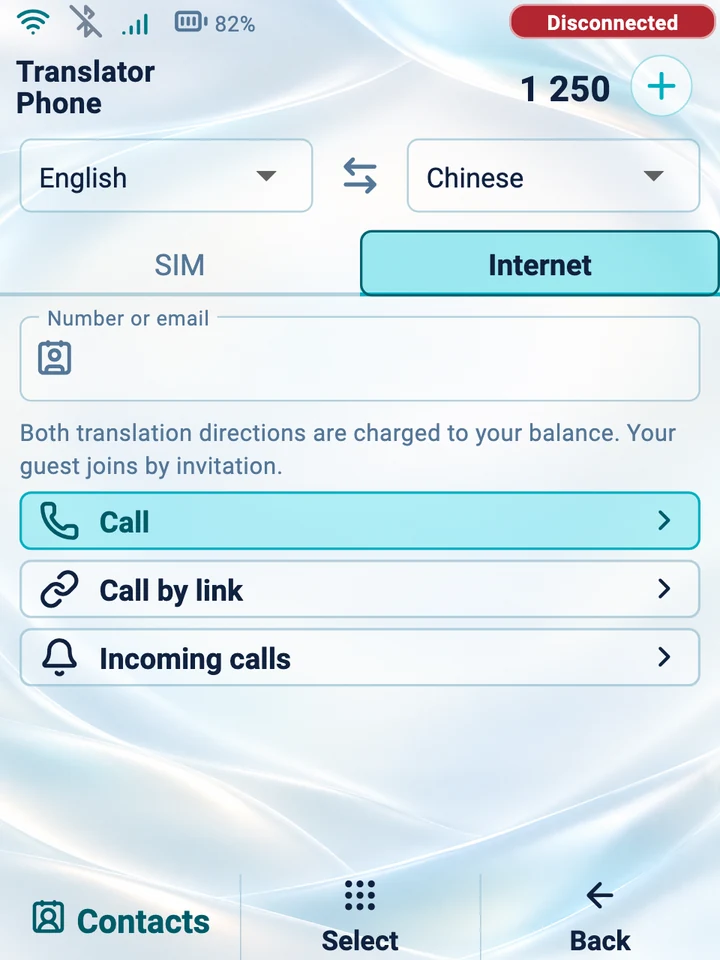
The real prototype interface
Conversation mode and an internet call on the prototype screen. This is the device app’s interface with demo data, before going online.Compare
The app or the device?
Start on your smartphone for everyday conversations. The dedicated handset is designed for translating regular phone calls and for people who prefer physical buttons.
| Capability | Smartphone app | Translator Phone device |
|---|---|---|
| Face-to-face conversation | Yes | Yes, on the prototype |
| Lectures and talks | Experimental | Experimental |
| Translator Phone internet calls | In testing | In testing |
| Translated SIM calls | No | In testing; network-dependent |
| Physical buttons | No | Yes |
| How to connect | Sign in to your account in the app | The smartphone app scans the device’s QR code |
| Internet for translation | Required | Required |
| Availability | Android on Google Play; iPhone not yet available | Prototype, not for sale |