

Modes

Four modes. Four situations.

A face-to-face conversation, a talk in a lecture hall, a call from anywhere and a regular phone call. Three modes run in the app; the fourth is being tested on a dedicated device.

Face to face

One phone. Two people talking.

Place the phone between you: the translation is spoken aloud and shown on screen.

Talks and tours

Follow the speaker’s train of thought

A talk translated in segments — through the loudspeaker or headphones.

From anywhere

Call people who speak another language

A call inside Translator Phone, translated both ways.

Exclusive to the Translator Phone device

A regular call — translated both ways

The other person doesn’t need to install anything. Now in testing on the device prototype.

Modes

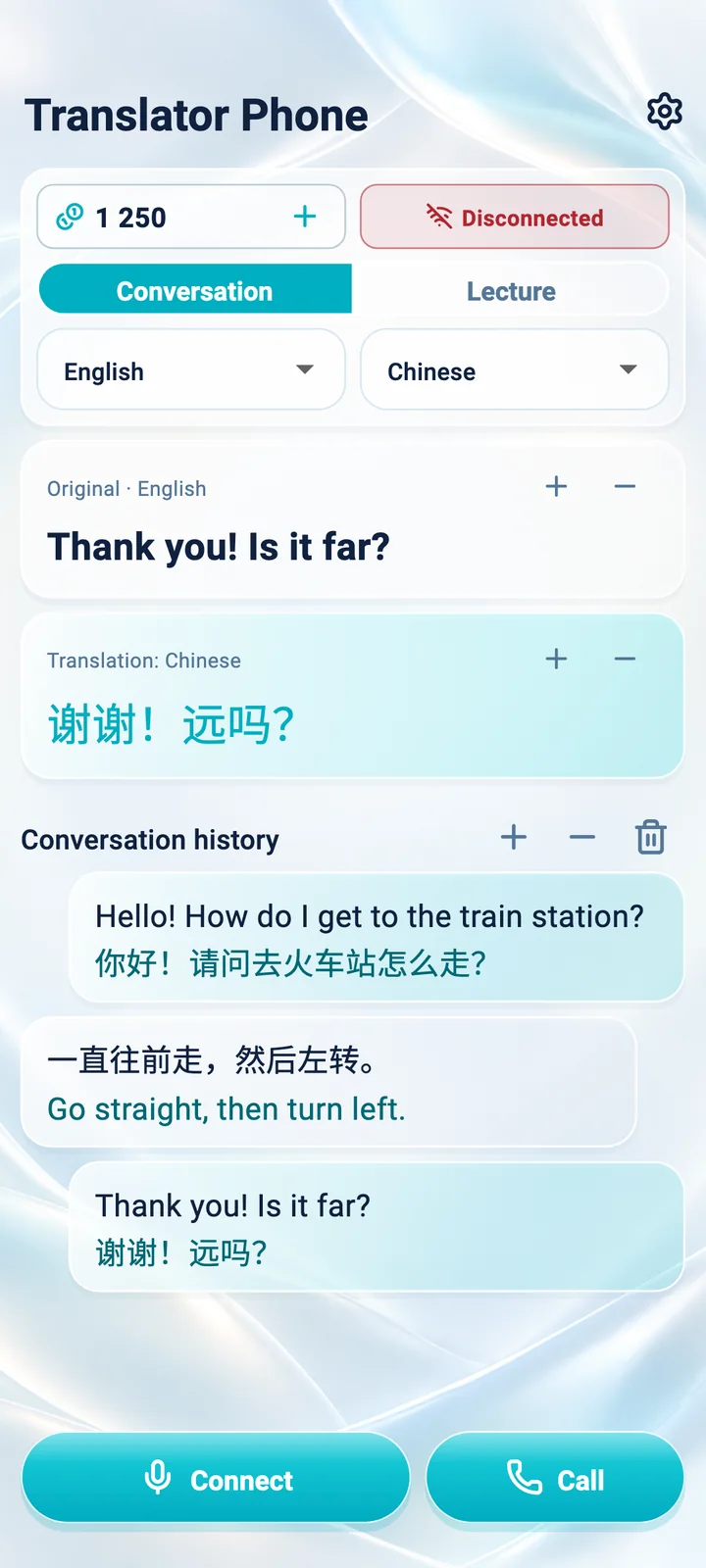
Conversation mode: original, translation and conversation history
ConversationCore mode

One phone. Two people talking.

Place the phone between you and take turns speaking. Translator Phone detects which of your two chosen languages was spoken, shows the original with its translation and speaks the translation aloud.

  • Detects the language of each sentence
  • Original and translation in large text
  • Translations are spoken aloud — no passing the phone back and forth

Tip: speak in complete sentences and wait for the translation — it makes the result more accurate.

When it helpsAt hotels, in taxis, shops and cafés, and in meetings
Lecture mode: translated segments of a talk
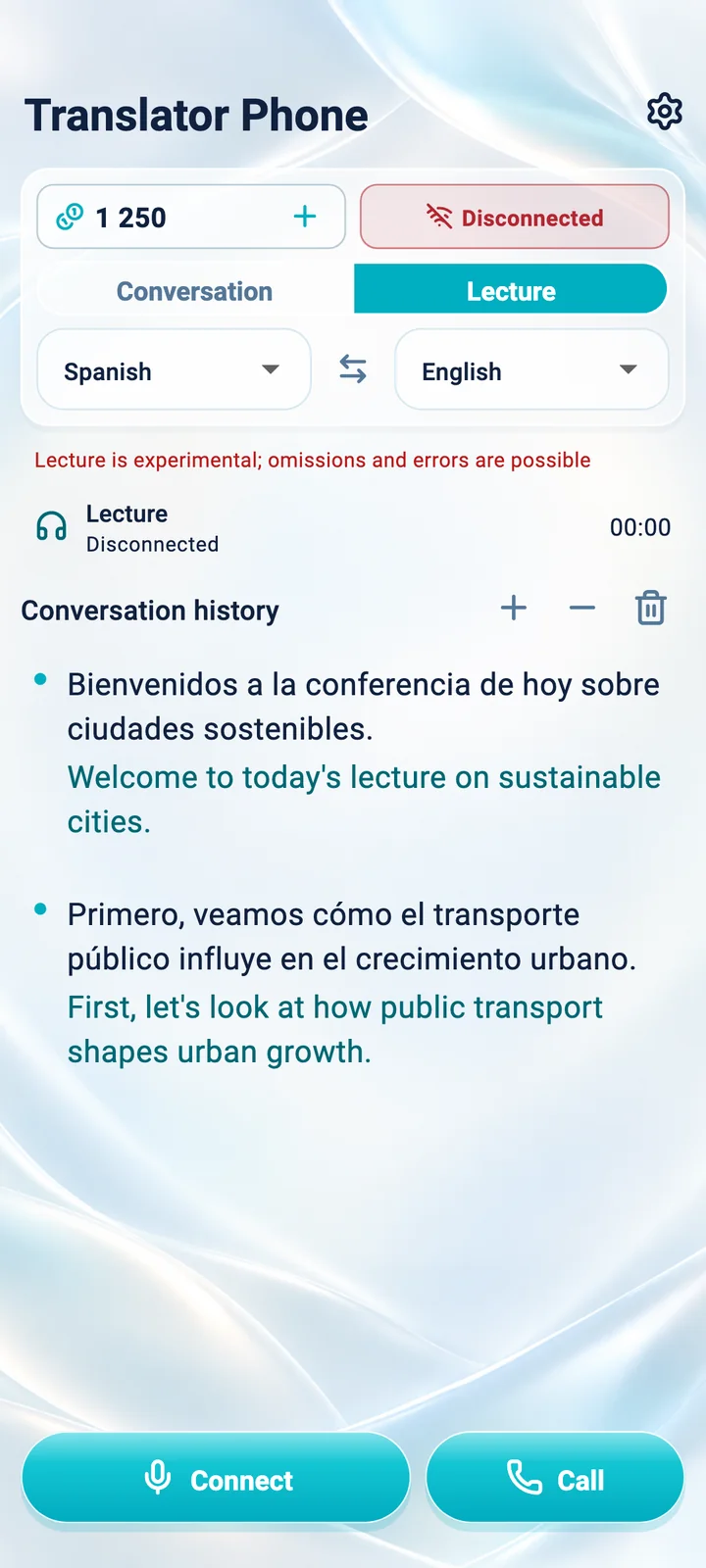
LectureExperimental mode

Follow the speaker’s train of thought

Choose the speaker’s language and your own. Translator Phone translates continuous speech in segments and plays them in order — through the phone’s loudspeaker or headphones — while the text stays on screen.

  • One-way translation — the speaker doesn’t have to pause
  • Listen on headphones without disturbing others
  • Text helps you catch up on anything you missed

Experimental mode: translation lags noticeably, and parts may be skipped or mistranslated. Confirm important details with the speaker.

When it helpsAt lectures, tours, conferences and presentations

Internet calls screen in the Translator Phone app
Internet callsIn testing

Call people who speak another language

Call someone at the email of their Translator Phone account, or send them a call link. Each of you speaks your own language, and the service translates speech in both directions.

  • Speech translated both ways during the call
  • Call by account email or by link
  • Works on your smartphone — no dedicated device needed

This mode is in testing. Both participants need the Translator Phone app and internet access. These are calls inside Translator Phone, not translations of WhatsApp, Telegram or cellular calls.

When it helpsWith partners, suppliers, family and friends abroad

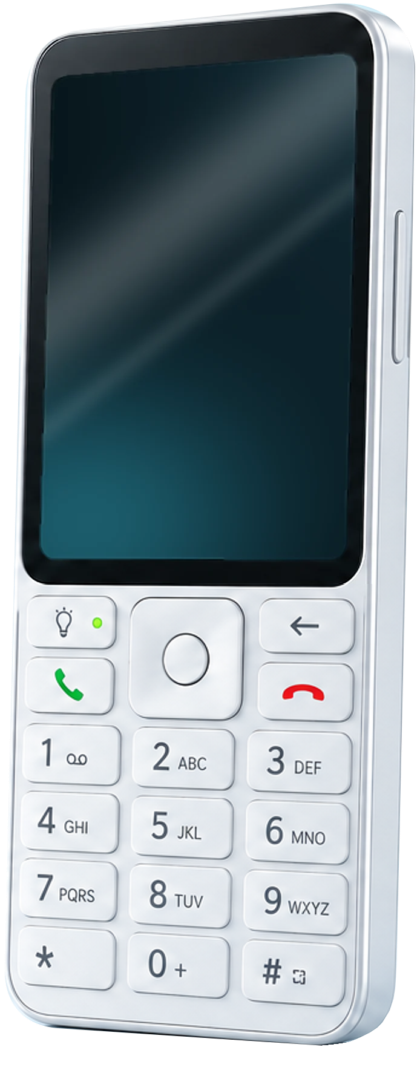
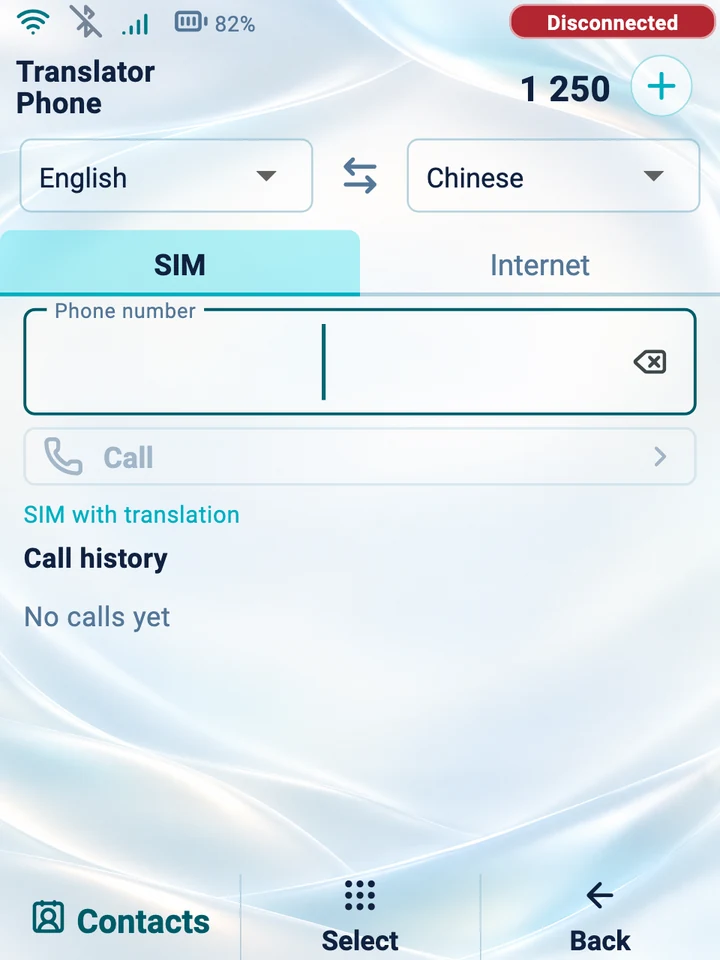
Device screen: dialer for a translated SIM call
SIM call dialer on the prototype screen
SIM callsIn testing

Exclusive to the Translator Phone device

A regular call — translated both ways

The Translator Phone device can dial a regular number. The other person answers on their own phone — there is nothing for them to install. You speak your language, they speak theirs, and the device translates speech in both directions.

  • Calls through the device’s SIM card to a regular number
  • The other person doesn’t need the app
  • Speech translated in both directions

When it helpsTo confirm a hotel booking or arrange a delivery or repair — when a person answers rather than a voice menu

Only the device has this capability: the Android and iPhone app does not translate cellular calls. Internet access is required during the call. Operation depends on the SIM card, carrier, network and VoLTE and has not yet been confirmed with carriers; touch-tone (DTMF) input for voice menus is not supported yet. This mode is being tested on a prototype.

More about the device

Use cases

Where it matters to understand and be understood

Translator Phone helps on the road, at work and at home — anywhere you don’t yet share a language.

  • Travel

    Ask for directions, explain an address to a driver, check the details of your stay — no phrasebook or gestures needed.

    Conversation
  • Shopping and services

    Ask about prices, delivery and returns, or arrange a repair or rental.

    Conversation
  • Business meetings

    Discuss terms with a partner or supplier while each of you speaks your own language.

    Conversation · Internet calls
  • Study and lectures

    Follow a lecture, tour or presentation and check the text on screen.

    Lecture
  • Family and friends

    Talk with people you care about who live in another country and speak another language.

    Internet calls
  • Calling local numbers

    Call a hotel, a delivery service or a landlord when a person picks up.

    SIM calls · Device